
AetherWave Studio
One place to generate AI images, videos, and music with one click.
Tagline
One studio for all your AI media
Stop juggling Midjourney, Runway, and Suno.
Make your next post, teaser, and soundtrack here.
Build AI content workflows, not just prompts.
The all-in-one AI media studio for creators who don't want three separate subscriptions.
The product clearly spans images, video, and music in one app, which is the strongest category-defining claim and differentiates it from single-format tools.
A faster alternative to stitching together Midjourney, Runway, and Suno for every post.
The page explicitly unifies those content types and exposes quick create, making it easy to position against the fragmented multi-tool stack most creators use today.
The credit-based one-click content engine for people who need output, not pro software complexity.
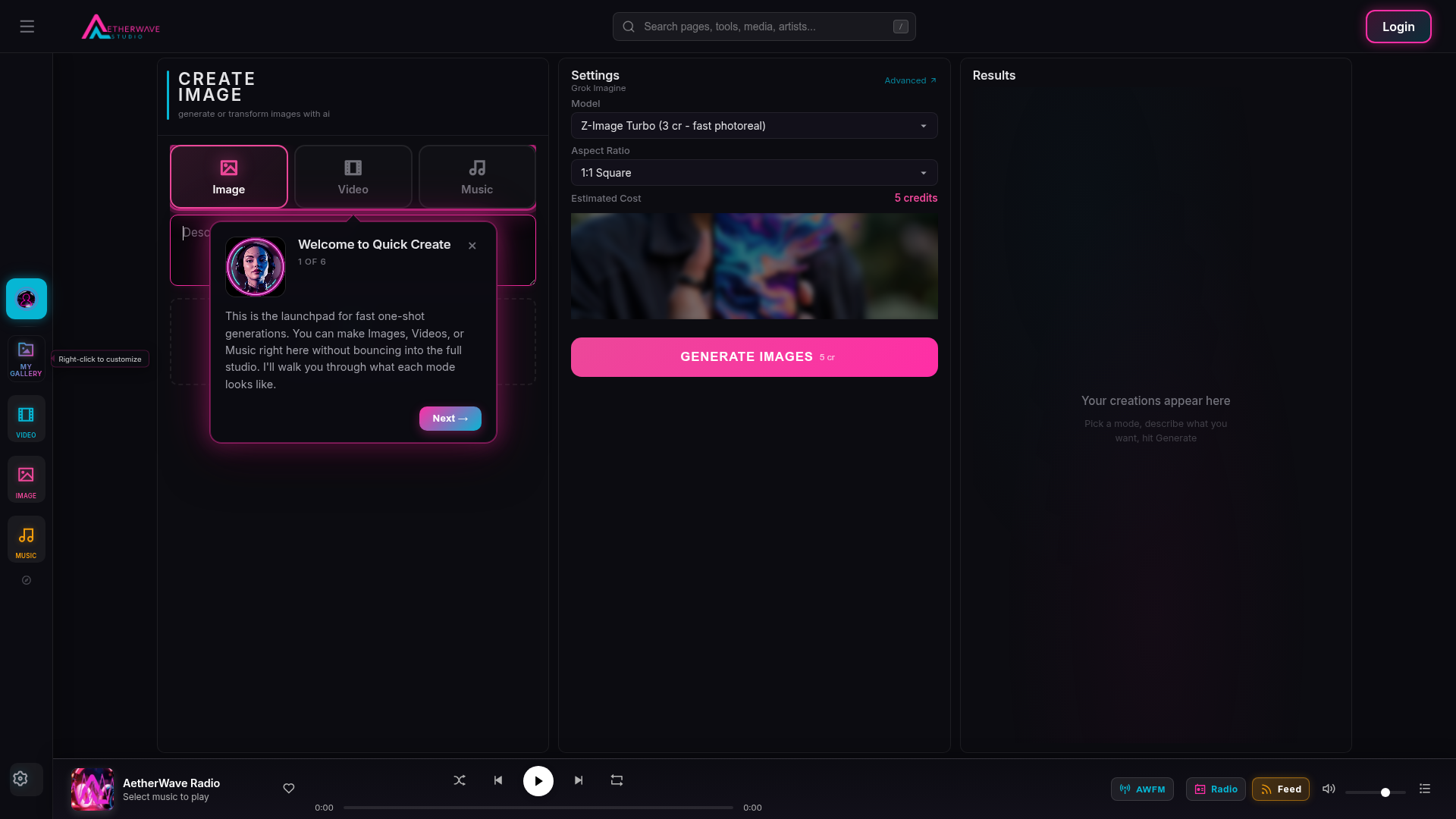
The landing page emphasizes quick creation, visible credit costs, and simple mode selection, which supports a pain-killer message around speed and simplicity over craftsmanship.
Primary user
Independent content creator who needs fast image, video, and music generation from one browser app
ICP #1
Solo social media creator managing TikTok, Instagram Reels, and YouTube Shorts for a personal brand
Pain
They need thumbnails, short clips, and background music fast, but bouncing between Midjourney, Runway, and Suno slows the workflow and fragments assets.
Why this solves
AetherWave keeps images, video, and music under one roof with one-shot generation, so they can move from prompt to post without switching tools or accounts.
ICP #2
Indie game or web app founder shipping weekly marketing content with no creative team
Pain
They constantly need promo visuals, teaser videos, and soundtrack snippets for launches, but don’t have time to learn pro design tools.
Why this solves
The app’s quick-create experience, multiple model choices, and upload-to-edit flow make it easy to produce launch assets quickly without a full creative pipeline.
ICP #3
AI workflow builder or no-code developer integrating generation into a custom product
Pain
They want to call generation in a repeatable way and may need an agent or API-driven workflow instead of a consumer-only editor.
Why this solves
The presence of developer docs, API docs, skill files, and agent integration suggests the product can be embedded into automated workflows rather than used only manually.
Strengths
- +The product scope is immediately clear: images, video, and music are all visible above the fold.
- +The Quick Create concept is concrete and easy to understand for non-technical creators.
- +Model transparency is unusually strong, with named models and credit costs exposed in the UI.
Weaknesses
- −The page is overloaded with product UI chrome instead of persuasive marketing; it feels like the app home screen, not a landing page.
- −There is no crisp explanation of why AetherWave is better than using Midjourney, Runway, and Suno separately.
- −The value proposition is generic; "Generate AI images, videos, and music with one click" describes the function but not the outcome.
- −Important differentiation is buried, such as private adult-content generation, upload-to-edit, and developer integration.
- −The page lacks proof: no example outputs, creator testimonials, use cases, or before/after comparisons.
Fix these
- Replace the top hero with a use-case-driven headline like "Make your next post, teaser, and soundtrack in one workspace."
- Add three hard-hitting comparison blocks against Midjourney, Runway, and Suno showing where AetherWave saves time and credits.
- Show real generated examples for each mode, ideally organized by job-to-be-done: social post, ad creative, teaser video, soundtrack.
- Pull the developer/API story into a separate section for builders so the consumer message stays focused.
- Add a pricing explainer that translates credits into common creator workflows, because the current credit UI is visible but not legible.
Drop-in replacement copy
Headline
Make all your AI media here
Generate images, video, and music in one workspace. Pick a mode, describe what you want, hit Generate.
Ship one post instead of juggling three tools
Make thumbnails, teaser clips, and soundtrack snippets in the same browser app. Less switching means faster output and fewer half-finished ideas.
Turn a prompt into content fast
Quick Create is built for one-shot generations when you do not want to dig through a full studio flow. It keeps the path from idea to result short.
Edit an existing image, then keep going
Upload a file and transform it into something new instead of starting from scratch. That makes it easier to repurpose assets for ads, launches, and social posts.
Know what each generation costs
AetherWave shows model choices and credit costs up front, so you can pick the right output without surprise spending. It is built for creators who care about speed and budget.
FAQ
What can I make in AetherWave Studio?
You can generate AI images, videos, and music in one workspace. It is built for creators who need multiple asset types without switching tools.
How is this different from Midjourney, Runway, or Suno?
Those tools are strong at single formats. AetherWave combines all three so you can make a thumbnail, clip, and soundtrack in one flow.
Do I need to learn a complicated editor?
No. Quick Create is designed for fast generations with minimal setup. Pick a mode, add a prompt, and generate.
Can I use it for automated workflows?
Yes. The app includes developer docs, API docs, skill files, and agent integration so builders can plug generation into products or workflows.
Is private adult-content generation supported?
Yes, there is a private mode labeled Spicy for adult content generation. It is separated from the public feed and gallery.
Midjourney plus Runway plus Suno is a ridiculous stack for one post. AetherWave Studio puts images, video, and music in one workspace. Pick a mode, describe what you want, hit Generate. Creators should ship, not tab-hop.
Built one app for creator output: images, video, and music. AetherWave Studio is for people who need thumbnails, clips, and sound fast. No account juggling. No tool sprawl. Just Quick Create and ship.
Watch this workflow kill three tabs: 1) generate a thumbnail 2) turn it into a teaser clip 3) make a soundtrack Same app. Same credits. Same workspace. That’s the whole point of AetherWave Studio.
Most AI tools hide the costs until after you click. I made AetherWave Studio show model names and credit costs up front. Creators care about output, but they also care about not wasting credits on the wrong model.
Creators hate switching tools because switching kills momentum. That’s why AetherWave Studio combines image, video, and music in one browser app. One prompt flow. One credit system. Less friction, more posts.
If your launch needs assets fast, three subscriptions is overkill. AetherWave Studio lets indie founders make promo images, teaser videos, and soundtrack snippets without learning three different UIs.
Quick Create is the whole idea. Pick a mode, set the vibe, hit Generate. Then keep moving. AetherWave Studio is for creators who want finished content, not a pro software maze.
One upload can become new content. Drop in an image, transform it, and use it as the base for a post, ad, or teaser. AetherWave Studio makes image editing feel like content creation, not file wrangling.
I wanted API access, skill files, and agent integration in the same product as the editor. So I built AetherWave Studio to work for solo creators and builders who want repeatable media generation, not just one-off prompts.
The best AI tools reduce context. AetherWave Studio does that by keeping image, video, music, and docs in one place. Less context switching. More actual shipping.
Angle: all-in-one creator workflow
I kept seeing the same workflow problem: Creators need a thumbnail. Then a short clip. Then background music. And somehow they end up bouncing between Midjourney, Runway, Suno, Google Drive, and a notes app just to ship one post. So I built AetherWave Studio. One browser app for AI images, videos, and music. The point is not “more AI.” The point is fewer tabs, fewer subscriptions, and less momentum lost between ideas and output. The thing I care about most is speed. Quick Create gets you from prompt to result fast. Upload-to-edit lets you turn an existing image into something new. And the app shows model and credit costs up front so you know what you’re spending before you click. If you’re a solo creator or small content team, I think this is the real win: make the asset, move on, ship the post. Would love feedback from people who make content every week: what slows you down most right now?
Angle: positioning against fragmented stacks
A lot of AI products are good at one thing. That’s useful, until your workflow needs three things. If you’re shipping content regularly, the pain usually isn’t “can I generate an image?” It’s: - can I make the image - can I turn it into a clip - can I add music - can I do all of that without losing an afternoon That’s the gap AetherWave Studio is trying to close. It combines image, video, and music generation in one place, with a quick-create flow for people who don’t want to live inside pro tools. I also think transparency matters, so the app exposes model choices and credit costs instead of hiding them. My thesis is simple: people don’t want a bigger AI toolbox. They want a faster way to produce finished content. If you’re managing your own content, or doing it for a small brand, I’d love to know what you’re currently stitching together and where it breaks.
Angle: builder and API story
There’s a consumer side of AI media tools, and there’s a builder side. Most products pick one. I wanted AetherWave Studio to cover both. For creators: - quick one-shot generation - image upload and transformation - one workspace for image, video, and music For builders: - developer docs - API docs - skill files - agent integration That matters because a lot of people don’t just want to make content manually. They want to wire generation into a workflow, a product, or an agent that runs every time they ship. I think the market is moving toward “content systems,” not single-purpose tools. So the product should work as a studio and as an API surface. If you’re building AI workflows, I’d be interested in what you need most: simple API access, better model selection, or more predictable credit costs?
No visuals for this kit yet.
Tagline
Generate images, video, and music in one place
Description
AetherWave Studio is a browser app for creators and small teams to make AI images, videos, and music from one workspace. Quick Create, upload-to-edit, visible credit costs, and developer docs for API workflows.
Maker's first comment
I built AetherWave Studio because I kept watching creators do the same annoying dance: open one tool for images, another for video, another for music, then spend half the day switching tabs and re-explaining the idea. I wanted a single place where you can go from prompt to post faster, without having to learn a giant pro suite. That’s why the app leans hard on Quick Create, clear model choices, and visible credit costs — I wanted it to feel obvious, not technical. There’s also an API/developer side because some people don’t want to click around at all. They want generation they can plug into a workflow, an agent, or their own product. This is still early, and I’m especially interested in feedback from people who make content every week: what’s the first thing you’d want improved, and what would make this replace your current stack?
Pinned maker comment
I’d love feedback on two things: the clarity of the main creator workflow, and whether the credit model makes sense before sign-up. If you’ve used Midjourney, Runway, or Suno, tell me what would make you switch.
Meta
Still bouncing between three AI tools?
Targeting solo creators and small content teams who need images, video, and music fast. This ad tests the assumption that people will switch if one app reduces tool-hopping and keeps credits visible. AetherWave Studio puts image, video, and music generation in one browser app. Make the asset, move on, ship the post.
Google Search
AI image, video, and music in one app
Targeting people searching for multiple AI creation tools in one workflow. This tests whether searchers want a single workspace instead of separate subscriptions for each format. AetherWave Studio combines images, video, and music generation with Quick Create, upload-to-edit, and model-level credit pricing.
Reddit Promoted
Making launch content with too many tabs?
Targeting indie founders and makers who need promo assets without a design team. This tests the assumption that a faster all-in-one studio beats stitching together separate tools. AetherWave Studio lets you generate images, videos, and music in one browser app, with visible model costs and an API for workflows.
Subreddits
r/SideProject
Show the build, the workflow, and a before/after of creating one launch asset set in one app
Rules: Share what you built and what you learned. No pure ads, no fake indie-story framing.
r/indiehackers
Post the product as a tool for shipping founder marketing assets faster, with lessons from building the credit model and UI
Rules: Focus on insights, numbers, and lessons. Avoid drive-by promotion.
r/microsaas
Share how the API and agent docs make the product usable in workflows, not just as a consumer app
Rules: Keep it relevant to SaaS builders and practical execution.
r/EntrepreneurRideAlong
Talk about using AI media generation to support solo founder marketing and product launches
Rules: Need a story, progress updates, and engagement with comments. No low-effort links.
r/ContentCreators
Show how a solo creator can make thumbnail, clip, and music assets from one prompt flow
Rules: Be useful to creators first. Lead with process and examples, not sales copy.
Communities
Post a build log, then answer every comment with concrete details about workflow, pricing, and what you’re still changing.
Share a technical or product angle, not a launch pitch. Focus on the API, agent docs, or the engineering decisions behind the unified studio.
Loom community
Find creator and founder threads, then share short screen recordings of real use cases: launch assets, social posts, teaser clips.
NoCode Founders Slack
Offer a useful demo and ask for workflow feedback from builders who want generation inside automations, not just a pretty UI.
Cold outreach template
Hey {firstName} — saw {context} and thought of AetherWave Studio. It lets creators make images, video, and music in one place instead of bouncing between tools. If you’re still stitching together a content stack, I’d love to give you free credits and see if it saves you time. Want me to send access?
Product Hunt timing
Launch on Tuesday at 12:01am Pacific Time. That hits the start of the Product Hunt day for a US-heavy maker audience, gives you the full UTC day to accumulate votes, and aligns with creators checking tools at the start of the work week.
Indie Hackers post ideas
- 01How I turned a messy AI media workflow into one studio
- 02What I learned exposing model names and credit costs in the UI
- 03Why I added API docs to a creator-focused AI product
Competitor alternatives
Current tone of voice
Casual, creator-first, and slightly playful. The strongest proof is the phrase "Jump straight into creating" plus the onboarding copy "Pick a mode, describe what you want, hit Generate" and "Quick Create".
Your kit is ready. Sign up free to unlock, takes 10 seconds.
7 more X posts · 2 LinkedIn · Product Hunt copy · ad hooks · 100-user playbook · landing critique